Showing posts with label VoIP. Show all posts

Wednesday

Buying a Fur Lined Bathtub?

SPAM! Most of the time we don’t really fall for it, but sometimes an email looks interesting enough to open and read.  This morning I received this email that said it could deliver 5 phone system quotes to me in CORVALLIS  - OR, which is where our main office is located. So, my curiosity peaks and I check it out. (See the Note)
It’s probably not an email that interests you, unless you are looking for a new phone system. What you may not know is the same organization that collects your request for a phone system quote in “CORVALLIS - OR” will call me later this month and offer to sell me a list of businesses that want phone systems in “CORVALLIS - OR”

The same thing happens for other products. An email arrives that says they have a great price on something you have been looking to buy, it gets your attention and you think “Sure, I’d like to get 5 quotes for fur lining my bathtub” and you respond with the affirmative to the sender.  Who then calls a local bathtub fur liner and offers to sell your contact info along with “hundreds more.”  It’s a reasonably legitimate business model in that the spammer has offered you something, “5 quotes” and us something, “contact requested a quote,” but in reality, they have been deceitful on both ends.  They are building a list of contacts but can't really quote you a new phone system and then they are selling that list of contacts to companies under false pretense.  
As a note: 10D Tech does not buy these lists.

We feel your pain

Unsolicited emails, also called Spam, works because of the high volume the spammers send results in a tiny amount of success There are different kinds of spam, but in every case, sending spam is so cheap that it doesn’t take much for a spammer to pronounce that a spam campaign a big success.
For example, say a spammer sends 15 million emails pushing a knock-off of the latest wonder gizmo. If only a tiny percent, perhaps even just one person out of fifteen million, purchases the gizmo through him, the spammer has made a profit. It doesn’t matter if it’s fake purses, body-part enhancement aids, knock-off watches or discounted computer software. If even the tiniest percentage of spam emails produce a sale, then that spam was successful, they will continue.

Tired of Spam? Tired of sifting through a hundred emails a day that has nothing to do with your work? Call us and we can help 10D Tech 541.243.4103

Monday

Buying local?


When you buy local, your money stays local, and it strengthens the local economy in two ways. First, buying local fuels new employment and job opportunities for people within the community. Studies show, locally owned businesses employ more people per unit of sales, and retain more employees. Further, the expansion and growth of local businesses helps create a more stable, recession-resistant local economy and community alike.


Second, buying local keeps money circulating within the local economy. Cash flow is vital for prosperity and local businesses recirculate a greater share of every dollar, as they create locally owned supply chains and invest in their employees. An additional study found that local retailers return a total of 52 percent of their revenue to the local economy, compared to just 14 percent for the national chain retailers. Money circulating through the local economy benefits everyone who receives a transaction. 

We are disappointed our local city and county decided to buy from a chain that have no local employees or presence other than the phone systems they have installed.


Thursday

Why you need a Battery

Call 10D Tech at 541-243-4103 for local advice and assistance in Salem, Keizer, Corvallis, Albany, Lebanon, and Eugene. We provide Avaya Business Phones, Managed IT, Internet Services and Cyber Security through out Oregon.


The following article is copied and pasted from the Tech Advisory - June, 2017 blog. They could not have said it better.


https://www.techadvisory.org/2017/06/why-businesses-need-a-ups/


"Why businesses need a UPS

Power outages caused by utility failure, accidents, and natural disasters such as storms, flooding, or earthquakes are inevitable. There’s very little you can do to prevent any of these from happening, but you can avoid the consequences to your business by using an Uninterruptible Power Supply (UPS).
What is an uninterruptible power supply?
An uninterruptible power supply is an essential piece of hardware that protects both your computer and your data. It provides a backup power source in case of main power failures caused by electrical current problems such as blackouts, brownouts, and power spikes.
Smaller UPS units can protect individual computers while larger models can power multiple devices or an entire office. Small businesses can opt for individual UPS units, which should be enough to back up critical computers and other devices that are key to business continuity.

Benefits of having UPS

It’s a known fact that power outages can damage or completely destroy electronic equipment, especially computers. Unexpected computer shutdown can cause great damage to your computer hardware and make you lose unsaved data. A UPS ensures you never experience such a scenario.
Here are other ways that a UPS benefits your systems:
  • Uninterrupted power flow during power surges

When you have UPS, the voltage that passes from the main electrical lines to your devices is consistently stabilized. This protects your computers from power surges, which happen when the voltage in other equipment suddenly rises.
  • Refined and filtered power supply

It normalizes power levels so that your computers are protected against dips and spikes caused by lightning or an abnormal power supply that usually comes from restored power after a blackout.
  • Instant power during brownouts

An uninterruptible power supply guarantees your operations’ continuity. In the event of short-term interruptions, it gives you enough time to switch to a larger, more stable power supply such as a generator. But unlike a generator, it provides instant power to your equipment at the exact moment the power goes out.

Does your business need a UPS?

If you’re purchasing new computers for your small business, a UPS is an invaluable add-on. Businesses that require constant power to function such as hospitals, banks, academic institutions, manufacturing companies, and any business for which storing and processing data are critical tasks can benefit from uninterrupted power.
Determining the type of UPS for your business as well as installing and maintaining it may require the expertise of professionals. We have experts who could provide you with information on properly operating a UPS, replacing its battery, identifying devices that should never be connected to it, and other safety tips. Call us today for advice."

Tuesday

Simplify your life

#1 Priority: Passwords!  


Password Manager: This is the most important of all priorities in securing your network. When we do security talks to groups, nearly everybody raises their hand when asked if they use the same password or a similar password for more than 1 account or website. By using a password manager, you only need to remember a single Master password. We can show you how to make a password that is very difficult to break but easy to remember. A password manager remembers and encrypts the other 587 passwords to your accounts, websites and portals and inputs them securely when you log in. We use LastPass www.lastpass.com  

We don’t sell it but we use #LastPass because it works and it does simplify our lives.  If you are already using a password manager, Thank you. The basic #LastPass version is free, but you can upgrade to Premium #LastPass for a couple dollars a month. The free versions work great, we have upgraded to premium for some convenience features.


Reminder: Never use the same password for multiple sites.

From #Sophos here is a 30 second smile, who can relate?

Thursday

Who are the Bad Guys?

Who are the bad guys?
Globally the primary bad guys are in 1 of 4 nations, - China, Iran, Russia, North Korea. They are supporting the worst of the bad guys trying to wreak havoc on the rest of the world.  They are on an industrial espionage mission to gather secrets and harm other nations.
Conventional Cybercriminals are very active as well but, for them, monetary gain is their primary motivation. Unfortunately, the lines between cybercriminals and the transgressing nations are blurring as many of the nationally supported bad guys are moonlighting to fatten their own bank accounts. In short, the threats are wide-ranging and are coming from many sources. They are not picky, they’ll crash through any unlocked door. You have information to share that will further their efforts. We here at 10D encourage you to protect yourself, which in turn protects us … your neighbor.

If you don’t have a plan, call us, we can help. 541.243.4103

Wednesday

Launched Today - Business grade firewall 2.0 for your home.

Priority: FIREWALLS! – Launched today, the new version of Sophos Home brings business-grade cybersecurity to your home. REALLY important! Your internet service provider can only generically protect you. For your home here is a FREE Sophos software based firewall for each of your computers. For your business, contact 10D Tech for information on our chosen Next-Gen active firewall. The Sophos website with some fun, entertaining videos and serious information. See the future of cybersecurity with the new version of Sophos Home. hashtagbusiness hashtagnetworking hashtagsoftware hashtagprotection hashtagnetworksecurity hashtagsophos hashtagfirewalls

Is it time to make a change?


PHONE SYSTEM REFRESH

If you ever wanted to make the jump to a hosted phone system, this is the time to do it. 

Avaya 9608G IP Phone

10D Tech has a HOT deal on a hosted phone system that we probably won't see ever again.  
The 10D Cloud Phone System – Powered by Avaya IP Office has a special deal from the manufacturer offering free phones with all new hosted systems. Kick off the new year with a technology refresh.  It's been 20 years since the last great technology refresh and technology has advanced.  There is no limit to how many free phones. If the phone system you bought for Y2K has yellowed with age, time to refresh to the 21st Century. These are not “last years model” or “We can't sell these” or even the “We’re gonna try and upsell you” version of phones.  The Avaya 9608G is the exact same model that sits on all of our desks here at 10D Tech and we use them every day. Call 10D and tell us you want a "Technology Refresh" and we will get it started. Along with the refresh, your phone service is included in the deal. 

Details: 36-month service agreement, IP phones only, installed on an inspected IP Network.

Call us: 541.243.4103
email us: advisors@10dtech.com
Goto our website: www.10dtech.com 

Monday

10D Tech Tip - Passwords

10D Tech Tips and Tricks plus a little humor.

We are moving towards an age of complete digitization and everything is online. Hackers and intruders are also online, getting smarter and bolder.

 According to a recent Gemalto Breach Level Index report, 2.5 BILLION personal records were stolen or compromised in 2017.  Compare that to 265 million stolen or compromised in 2008.   This morning I have a news report that 150 million more were stolen because bad guys found an account with a weak password and broke in, stealing personal data.  The estimated cost to fix this breach is four million dollars. That doesn’t count the lost revenue or damaged reputation. I canceled my account and then changed all of my passwords...again.

Businesses need to take security measures to avoid exposing more records. The best way to make an immediate impact is to require all employees to use password managers. A password manager, like LastPass, is the easiest solution for difficult and unique passwords. 

Who can remember 193 different 16 character passwords?  Not Me!
LastPass remembers them all.

If you are notoriously reusing the same passwords, then you are exposing yourself and your business to a security breach. If the bad guys can get into your employee or personal accounts using stolen information, then they’ve opened the door and your network is about to get raided.  Don’t make it easy for them and they will move to the next unlocked door.

Why is Password protection important?
Passwords are the gateway to your confidential data whether the data is on campus servers or workstations. This data may include employees or student addresses, names, evaluations, payroll, etc. So, it is essential to secure it to keep the information confidential. The first easy task is to use a password manager. We like LastPass.  Generating unique passwords and then autofilling the login form next time you access that site.  The only password you have to remember is the password to open the password manager.  It's even easier when you use your fingerprint when you expand it to your smartphone.

Why can’t you use the same Pa55w0rd? 
Why does this matter? Well, imagine you are a member of websites A, B and C – and you cleverly use the same sneaky Pa$$W0rd! on each site. If A suffers from a data leak and their P@$$w0rd database is accessed, or if hackers manage to work out your P4$$w0rd for A, then the bad guys will not only have access to your A account, but B and C as well! It doesn’t take the smartest hacker to guess that most of your p4SSWord$ are similar.   

Call 10D for all things Tech, We know I.T.  
www.10dtech.com

541.243.4103

Flexible Work Arrangement?


The 10D Voice Blog: week of February 27 
  
The Facts and Figures of Flexible Work Arrangements

In business today, mobility is taken for granted. More and more employees have jobs that can be done anywhere. But are businesses enjoying real bottom-line benefits from this new world of mobility? Various sources suggest that the answer is “yes.”

Executive survey:
In a report on mobile collaboration for Avaya, Frost and Sullivan surveyed 200 CXOs and found that of those that have deployed mobile collaboration technologies, the vast majority (86%) report improved innovation within the organization. (To read the full Frost and Sullivan report, Mobile Collaboration and the Small & Midsize Market, go to Small & Midsize mobile collaboration 
More productive “sick days:” A health insurer analyzed the cost of requiring people to come into work when they are feeling sick or stressed and found that it doesn’t just make bad human relations sense. It makes bad economic sense: on average about $2000 per year, per employee. (Source: Cigna Behavioral Health, April 26, 2004)

Employee loyalty and morale: A flexible work environment is high on the list of things that employees want, according to a top recruitment firm. In one survey (The Hudson Group, 2/12/2008, In the Game of Hiring, Flexible Employers Win, http://us.hudson.com/node.asp?kwd=survey-021208), nearly a third (29 percent) of workers cite work-life balance and flexibility to be the most important factor in considering job offers, above compensation.

The Telework Research Network regularly compiles data on the bottom-line impact of flexible work arrangements. Here are some of its findings:
  • A better environment: Remote working can save approximately 300 gallons of gas a year per employee, and over 6,000 pounds of carbons.
  • Salary boost: Working at home can save up to $8400 per year in gas, tolls, wear/tear on car, meals, dry cleaning = $11,340 salary boost.
  • Less commuting: A 52-minute in-the-car average commute to and from work is equivalent to 4-6 weeks a year. Even if you realized a fraction of that (2 weeks’ worth) – that’s a significant uptick in productivity for that employee.
Source: Workshifting Benefits: The Bottom Line, TeleworkResearchNetwork.com / Kate Lister / May 2010)
Learn more about mobile collaboration technologies in the full Frost and Sullivan report, Mobile Collaboration and the Small & Midsize Market (www.10dvoice.com) 

Think About Business Disruptions


The 10D Voice blog: week of February 20

Why You Should be Thinking About Business Disruptions

As the owner or manager of a growing business, your focus is business development, not business disruption.  But don’t let mistaken assumptions about business continuity cloud your judgment.

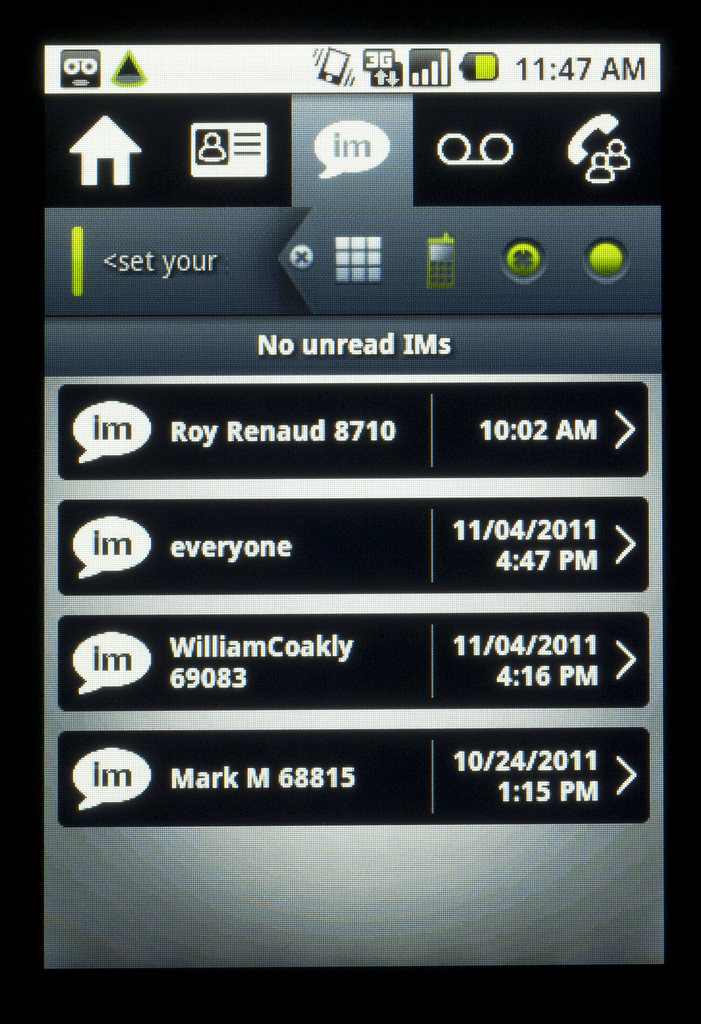
Instant Messaging Screen
Most small and midsize businesses make the mistake of assuming that (1) in the event of a disaster, they will still be able to limp along and get their business going again and (2) it will cost them less to limp along and clean up the mess later than to put a backup plan in place now.

In fact, if you experience a breakdown in your communications infrastructure, you may not be able to limp along. Numerous insurance companies and business continuity  specialists cite statistics suggesting that large numbers of SMEs who are hit with a major disruption never fully recover and/or soon go out of business. 

In this posting, I will provide a basic explanation of business continuity as it relates to your communications system. I also recommend downloading the Avaya white paper, “Is your small business ready for non-stop operations?”  (https://www.avaya.com/usa/registration/is-your-small-business-ready-for-non-stop-operations/) It’s packed with interesting advice and insight on the whole subject of keeping your business in continuous operation, whether the problem is a storm, utility outage, equipment failure, security breach or even having several of your top employees felled by the flu. 

Don’t take your communications for granted

In the old days, if the power failed during a major storm or disaster, there was a good chance you could still use the phone. That’s because your phone system was powered by electrical current coming over analog lines from the phone company’s central office. Because of that, you could always get dial tone.

But today, many businesses use digital, not analog, lines. Also, even if a business is using an analog line, the communications devices and switches at the business may still require their own power. Cordless phones, for example, need their own power source. If you connect ANY device that needs its own power, you introduce a point of failure so that when power is lost to the switch, connected telephones no longer receive a dial tone.

But there is a way around this—it’s part of the business continuity capabilities of Avaya IP Office.  The Avaya White Paper explains it in detail, but here’s the essence: if you connect an easily acquired Phone 8 expansion card, affixed with a Daughter (trunk) card, you get eight ports for use with analog telephones. Using the card, the analog trunk gets connected directly to the phone—the switch is bypassed. Whether you have power or not, you can be up and running.

A power outage is just one possible scenario of business disruption—and it’s also just one way that Avaya IP Office is designed to keep your operations going.  Other features of this system designed to keep you in business include: 

Teleworker Solution: Get complete communications from another location by connecting via an IP desk phone over a virtual private network (VPN) or via a laptop using the one-X® Portal. This is a great option for when employees cannot get into the office for any reason.

Multi-site Network: If you have multiple offices and one goes down, you can still keep all your communications up and running by using the Small Community Network capability, which is a standard feature of IP Office. Using IP links, you can connect a network of branch offices and ensure that extensions and features stay up and running at all of them. You can even designate which locations are “back-ups” for others, so the level of resiliency can be quite robust.

Providing this kind of support for small and midsize businesses is a key reason why Avaya IP Office has become a top choice and why Avaya is No. 1 worldwide in telephony solutions in the small and midsize market. 
Call 10D Telecom at (541) 243-410D (4103)
www.10dvoice.com
Learn more about the important and often overlooked topic of business continuity by downloading the white paper.  It’s completely free and has loads of good information:  “Is your small business ready for non-stop operations?”  (https://www.avaya.com/usa/registration/is-your-small-business-ready-for-non-stop-operations/)

Does your Vendor Know Small and Midsize Business?

The 10D Voice blog: week of February 13

Does your Vendor Know Small and Midsize Business?

Avaya 1404 Digital Phone
The rules of engagement for small and midsize enterprises (SMEs)  are changing.  Speed, flexibility, responsiveness, personal service—the traditional hallmarks of small and midsize business success—can no longer be taken for granted. Your customers are a click away. And so are your competitors, especially large, global companies who are making smart use of technology to become more responsive and customer-driven.   

To remain competitive, small and midsize companies need to evolve their technology strategies and infrastructures to meet these new challenges. The stakes are high: the investments you make today absorb scarce resources and will set you on a path that will impact your business for years to come.

How can you be sure that you are investing in the right solution?  Obviously there are no guarantees, but your best insurance against making a costly mistake is to choose a vendor that is truly focused on the small and midsize market and isn’t just trying to fill the sales funnel with a lot of smaller clients. Look for vendors with these characteristics: 

  • Right-sized for SMEs:  Small and midsize businesses are constantly adapting to rapid shifts in the market. The right technology for your business is one that is designed to adapt to the way you work, with plenty of capacity and a wide range of software options. Be wary of underpowered consumer solutions or systems that were designed for larger enterprises but now have been “dumb downed” for the needs of small and midsize companies.
  • SME leadership: What is the company’s track record in meeting the expectations of the SME market? Is it a market leader or an also ran? Has the company innovated when it comes to SME solutions or are its real breakthroughs reserved for the better paying, larger clients? 
  • Cost control and investment protection: Look beyond the initial acquisition cost. Total Cost of Ownership (TCO) is as important, if not more important to SMEs, than the initial outlay. How does the offering stack up in terms of ongoing operating costs, administration or upgrades? Embracing new technology shouldn’t necessarily mean getting rid of older solutions, particularly if you are staying with the same vendor
  •  Reliability and energy efficiency: Every vendor will tout claims for reliability and consistent performance. It’s important to vet these pronouncements either with existing clients or independent analysts. Also, look carefully at the investment you will still need to make in backup capabilities. Does the solution have proactive diagnostic capabilities that will make your job easier? Are there alternatives to acquiring redundant hardware? Finally, how does the solution stack up in energy consumption?  Is it really green?
Call 10D Telecom at (541) 243-410D (4103)
www.10Dvoice.com

Redefining Mobile Communications

The 10D Voice blog: week of February 6
Redefining Mobile Communications: Going Beyond Mobility
Mobile communications is a fast-moving trend. If your business is currently looking at how you can make the most of it, be prepared for some surprises. Mobile communications is evolving so rapidly, it’s upending traditional assumptions including what we really mean by “mobility.”
Consider the following: 
  • It’s not about travel. Having a mobile phone was initially justified as a way to easily stay in touch while traveling. But spending on mobile communications has soared in recent years at the same time that spending on business travel has declined—a point made in a recent Frost & Sullivan report prepared for Avaya. (https://www.avaya.com/usa/registration/frost-sullivan-mobile-collaboration-and-the-small-midsize-market/) While business travel bounced back in 2011 from its recession-induced slowdown, the use of mobile communications far outstripped the increased pace.  
  • It’s not about the “mobile employee.”  When people strategize about how to use mobile communications in business, they tend to focus on the needs of traditional road warriors, such as sales reps, executives and service personnel who are constantly in the car or hopping on and off planes.  But today, the vast majority of employees using mobile devices don’t travel routinely for work.  
  • It’s not even about being mobile.  In various studies, consumers report that anywhere from 40-60 percent of their mobile usage takes place in a fixed location—at home or in the office—not while they are in transit.
What’s going on is actually an old story. We always expect new technologies to essentially follow (and cannibalize) existing ones:  the telephone would follow in the path of/replace the telegraph; TV would follow in the path of/replace the movies; automated teller machines would follow in the path of/replace human tellers.  But inevitably, something very different happens. Successful technologies redefine the space that they operate in.
Mobile phones first addressed the communications needs of people on the run.  Now they are meeting the needs of people who want more convenient ways to manage their messaging, keep track of their schedules, bank, pay bills, shop, view entertainment, take a picture, record a video, get sports updates, read a book or simply multitask. And, as noted above, people do this regardless of where they are located.  Being “mobile” or even what we typically think of as “communications” may or may not have anything to do with it. As Frost and Sullivan notes, people “are blending home life and work life in ways we’ve never seen before.”
Advances in mobile technology are partly responsible:  mobile phones are smarter, faster and better connected. The rise of the mobile Web is another major development. But a wide range of other factors are also in play. Apps are now as important a reason to have a mobile device as the ability to talk. Social media and instant messaging have taken off in largely because of mobility and are as at home on the smartphone as they are on a computer. There is also a generational transformation going on: the younger you are, the more likely you are to rely on your mobile device for a wide range of tasks. 

An interesting case in point is the mobile software Avaya is introducing for Android and Apple iPhones. It takes the power of your Avaya IP Office communications system and lets you carry it around in the palm of your hand. 
You can use it to: 
  • Manage your contacts: Get all your business contacts automatically on your smartphone. 
  • Manage your messages: Scroll through voicemails and IMs and respond to what’s really important. 
  • Manage your people (e.g. a sales or service force): Instantly see who is available and map their location. 
  • Collaboration:  Assemble the people you need for any conference call literally in seconds. 
Interestingly, the value that the Avaya software delivers is not always linked to talking. And you don’t even have to be “mobile.” 
To read the Frost and Sullivan report, Mobile Collaboration and the Small & Midsize Market, go to (https://www.avaya.com/usa/registration/frost-sullivan-mobile-collaboration-and-the-small-midsize-market/)  To learn more about Avaya mobile collaboration software, go to 10DVoice.com

Is your business communications solution cost-effective

The 10D Voice Blog: Week of January 30th, 2012
 
Five ways to tell if your business communications solution is cost-effective
Is your communications system making you money, saving you money—or is it causing you to lose money in the form of lost productivity and higher operating costs? Unfortunately, the chances are high that it’s the latter. This is true even if you have recently upgraded to a new communications solution for your business. In fact, some solutions that say they offer the latest, cutting-edge communications may end up being the most expensive to own and operate.

Here are five things to look for in a solution that’s truly going to save you money:
Hybrid, not IP only: The Internet Protocol (IP) is the basis for most new communications systems.  It offers lots of advantages, but you shouldn’t be forced to use it right away unless it’s the right choice for you now.  A smart way to save money is to get a hybrid system: one that supports IP as well as older communications protocols. If you have older analog lines, the hybrid system works just fine and you are ready when the time comes to put in T1 and/or SIP trunks. You can convert to IP when it works for you—on your schedule and your budget. 

Single, Stackable, Scalable: What if your business suddenly experiences a growth spurt that requires you to increase the capacity of your communications? Should you be forced into a forklift upgrade: swapping out hardware, adding new (and potentially expensive software) and renegotiating your maintenance?  No—that’s a money sinkhole. A smart choice is a solution that lets you grow without having to change the basic system box—a single solution that is stackable and scalable. 

Works with existing wiring:  Does your office or building have a room with what looks like miles of spaghetti? Are there old wires snaking between floors and behind walls? Instead of pulling out all of this wire and replacing it with new cable (an expensive and potentially very disruptive proposition) you should still be able to upgrade, get the latest communications AND keep using your existing wiring. That can save thousands.

Works with existing phones: It used to be when you got a new office phone system, you automatically replaced all your phones. Some manufacturers still require that—and you may want to anyway—but it shouldn’t be necessary. Phones can account for as much as 60% of the cost of a new system and many of the ones you have now may be just fine. You should be able to keep using them and bank the savings.

Hidden Costs: What options come with your communications system?  What system resources are required for each device you connect?  What are your maintenance options?  What options do you have for upgrading software: if you do not have the most recent version and want to upgrade, will you be forced to pay an extra premium? These are nitty gritty details, but the costs can quickly add up if you don’t look at them. 

Call 10D Telecom today (541) 243-410D (4103) 
www.10dvoice.com
10D Telecom Website

8 questions about Windows 7 End of Life - #3 of 10 Cybersecurity for 2020

Frequently Asked Questions: Windows 7 End of Life (EOL) We know it is not easy to make changes, especially to the computer that you are f...