Showing posts with label business. Show all posts

Monday

Avoid these 10 CyberSecurity mistakes in 2020: Network Breach

You are NOT Exempt from Online Attacks - 2 of 10

We frequently meet with small to medium size clients that have this false opinion that their business is too small or trivial to be targeted by Bad Guys, hackers, scammers, trouble makers or just general criminals. The fact is that every business, large or small, are possible targets for these criminals. The threat has become such a concern the Federal Bureau of Investigation (FBI) issued a High Impact Cyber-Attack Warning. On October 2, 2019, Alert Number I-100219-PSA describing and warning against ransomware attacks. Read the full alert release here https://www.ic3.gov/media/2019/191002.aspx


Last year a report written by the Ponemon Institute produced a survey of 1000 IT Support providers about the state of cybersecurity in small and medium-sized businesses. It revealed that 67% of their SMBs have encountered a cyberattack while another 58% have had a data breach in the previous 12 months. Another report writes that 60% of all SMB’s that have had a breach fail within 180 days. The breach will cost SMB’s: time, money, loss of reputation, possible fines, network downtime, loss of revenue coming into the business, loss of data and maximum effort to fix what was broken or stolen.

Find out if a business that you work with has been breached …“Oregon law requires businesses and state agencies to notify any Oregon consumer whose personal information was subject to a breach of security. In the event that a breach affected more than 250 Oregon consumers, the law also requires that a sample copy of a breach notice sent to more than 250 Oregon consumers must also be provided to the Oregon Attorney General.”  https://www.doj.state.or.us/consumer-protection/id-theft-data-breaches/data-breaches/

Most of these breaches were preventable. Furthermore, companies that do not manage credit card data or any customer/client information believe that cybercriminals will not target their company network. In truth, the Bad Guys are targeting multiple computer networks to find vulnerabilities, obtain sensitive information, take control of your network, lock your data up and demand financial payment to have it restored or just to cause damage.
The simple fact is if your business/organization has an online presence, you are at risk and must adopt cybersecurity as a business strategy to guard both your stored data and network resources.

Call us, 10D Tech, if you would like to create a technology security plan that prevents the crime and recovers the network/data quickly in case of a breach.

Friday

Avoid these CyberSecurity mistakes in 2020: Passwords


It could be stolen customer data, phishing, or ransomware attacks, successful cyberattacks will affect businesses of any size and in any industry. A study last year by Juniper Research exposed that breaches in cybersecurity are likely to result in the theft of over 146 billion records by the year 2023, while identity theft has already affected over 60 million Americans.
It won’t matter if you are offering professional services (Doctor, Lawyer, Accountant), running a local or global business operation, establishing an online presence has now become necessary for recognition and, ultimately, business success. A security breach can destroy a business in a number of ways, including loss of business revenue, client trust, loss of data, fines, penalties, as well as lost income while the breach is secured. 
The continually expanding awareness by word of mouth, media advertisements, social media and direct conversations with security experts about cyber attacks and online threats, business enterprises are investing effort and money into improving their cybersecurity through better tech, training and tools. Still, an analysis of even the most sophisticated online attacks reveals that security is often imperiled by the most elementary mistakes that can be easily fixed by any business, organization or at home.

Poor Password Management

Weak or duplicate passwords are among the first reasons leading to cybercrimes including brute force attacks. A brute force attack opened over 1,000 user accounts due to weak passwords. The bad guys used the company email directory to compromise accounts that had weak passwords. Examples of weak passwords that are still used include “123456,” “password,” and “qwerty.”
What are the best practices in password management that can improve cybersecurity?:
  • Use of complex passwords that incorporates alphanumeric and special characters.
    • I had LastPass generate the following: 7MG87@o2^VzILBwe I won’t have to remember it as long as I remember a single Master Password for LastPass.
  • Enable 2-Factor Authentication (or 2FA) that can be used with strong passwords to safeguard user access.
    • We all have smartphones today, setting up 2FA is quick and easy.  Search for the Google Authenticator in the app store and you are almost done
  • Avoid the use of the same passwords in multiple business accounts.
    • Once bad guys figure out you have used the same PW in 2 accounts they will try them all using your email address or known user name.
  • Use of desktop or smartphone apps that can securely store (or even regenerate) passwords instead of writing them down on a post-it or note pad.
  •  Maintain the habit of periodically changing passwords for all your accounts.
    • The password manager, LastPass, can be used to change many of your passwords with a single click. You won’t need to know what the PW was changed to …. Provided you remember your Master Password to access LastPass.

The next post in our preparation for 2020 Cyber Security Awareness is:   
"Your business is NOT too small to be a target."

What do cybercriminals do with stolen data?


What do cybercriminals do with stolen data?
You’ve likely heard the stories of major data breaches that expose the personal information of millions of people. Perhaps you’ve even been a victim of this. But what actually happens to exposed data? How do cybercriminals actually use the data?

They sell it on the dark web. Credit card numbers, national ID numbers, email addresses, and passwords all fetch certain prices on the underground economy.
They launch spear phishing campaigns. With enough information, cybercriminals increase their chances of successful phishing attacks because they’re able to target specific individuals or organizations while sounding legitimate.
They pretend to be you. Identity theft is a top concern. If attackers gain access to your personal info, they can open accounts in your name, attempt to claim tax refunds, and file insurance claims, etc.
They attack even more accounts. In the case of stolen usernames and passwords, criminals use “credential stuffing,” which is an automated attack using those same usernames and passwords to gain access to other accounts.

10 reason to use 10D Tech

Our partners have discovered the benefits of having 10D Tech maintain and support your work stations, your network and your staff. 

Our Standards, Process Alignment, Business Impact and IT strategy is the recipe for our great results.

Our results for owners and managers:
  1. Lower costs mean Higher Profit Margins. Using 10D Tech is like having an employee that never goes on vacation, doesn't require health insurance, is never sick, needs no profit sharing, no further company-based training, no desk, no chair, no phone ... etc.  
  2. Increased Functionality as the staff is not spending 22 minutes a day working on some tech issue. 22 minutes a day is over 7 hours a month, or 11.5 days every year.
  3. More Productive Employees They are not messing with the newest application or scouring their social media pages.
  4. Better Morale amongst the staff knowing they don’t have to stress the Blue Screen or that they are downloading a virus.
  5. A Reduced Risk as we back up your work stations, servers and overall network on a regular schedule all but eliminate the scary RansomWare notice everybody is talking about.
  6. Installing a firewall, securing work stations with endpoint protection, instigating the password manager rules Enhances Security.
  7. A stable network and protected work stations allow you to be More Competitive in the market without the added wasted time.
  8. Looking at your current network and building a 3-5 year plan will Lower your Overall Technology cost. Instead of replacing things as they break, we help you purchase, according to a plan when prices are lowest.
  9. A better balance of your Work vs. Life focus.  Nobody needs to stay late trying to figure out why the printer doesn’t work.  We already have it taken care of.
  10. In general, a Peace of Mind that we have you covered and you can focus on what you do best.


Call us if this sounds like the solution you've been looking for. 541.243.4103  www.10dtech.com

Thursday

Why you need a Battery

Call 10D Tech at 541-243-4103 for local advice and assistance in Salem, Keizer, Corvallis, Albany, Lebanon, and Eugene. We provide Avaya Business Phones, Managed IT, Internet Services and Cyber Security through out Oregon.


The following article is copied and pasted from the Tech Advisory - June, 2017 blog. They could not have said it better.


https://www.techadvisory.org/2017/06/why-businesses-need-a-ups/


"Why businesses need a UPS

Power outages caused by utility failure, accidents, and natural disasters such as storms, flooding, or earthquakes are inevitable. There’s very little you can do to prevent any of these from happening, but you can avoid the consequences to your business by using an Uninterruptible Power Supply (UPS).
What is an uninterruptible power supply?
An uninterruptible power supply is an essential piece of hardware that protects both your computer and your data. It provides a backup power source in case of main power failures caused by electrical current problems such as blackouts, brownouts, and power spikes.
Smaller UPS units can protect individual computers while larger models can power multiple devices or an entire office. Small businesses can opt for individual UPS units, which should be enough to back up critical computers and other devices that are key to business continuity.

Benefits of having UPS

It’s a known fact that power outages can damage or completely destroy electronic equipment, especially computers. Unexpected computer shutdown can cause great damage to your computer hardware and make you lose unsaved data. A UPS ensures you never experience such a scenario.
Here are other ways that a UPS benefits your systems:
  • Uninterrupted power flow during power surges

When you have UPS, the voltage that passes from the main electrical lines to your devices is consistently stabilized. This protects your computers from power surges, which happen when the voltage in other equipment suddenly rises.
  • Refined and filtered power supply

It normalizes power levels so that your computers are protected against dips and spikes caused by lightning or an abnormal power supply that usually comes from restored power after a blackout.
  • Instant power during brownouts

An uninterruptible power supply guarantees your operations’ continuity. In the event of short-term interruptions, it gives you enough time to switch to a larger, more stable power supply such as a generator. But unlike a generator, it provides instant power to your equipment at the exact moment the power goes out.

Does your business need a UPS?

If you’re purchasing new computers for your small business, a UPS is an invaluable add-on. Businesses that require constant power to function such as hospitals, banks, academic institutions, manufacturing companies, and any business for which storing and processing data are critical tasks can benefit from uninterrupted power.
Determining the type of UPS for your business as well as installing and maintaining it may require the expertise of professionals. We have experts who could provide you with information on properly operating a UPS, replacing its battery, identifying devices that should never be connected to it, and other safety tips. Call us today for advice."

Who are the Bad Guys?

Who are the bad guys?
Globally the primary bad guys are in 1 of 4 nations, - China, Iran, Russia, North Korea. They are supporting the worst of the bad guys trying to wreak havoc on the rest of the world.  They are on an industrial espionage mission to gather secrets and harm other nations.
Conventional Cybercriminals are very active as well but, for them, monetary gain is their primary motivation. Unfortunately, the lines between cybercriminals and the transgressing nations are blurring as many of the nationally supported bad guys are moonlighting to fatten their own bank accounts. In short, the threats are wide-ranging and are coming from many sources. They are not picky, they’ll crash through any unlocked door. You have information to share that will further their efforts. We here at 10D encourage you to protect yourself, which in turn protects us … your neighbor.

If you don’t have a plan, call us, we can help. 541.243.4103

Wednesday

Launched Today - Business grade firewall 2.0 for your home.

Priority: FIREWALLS! – Launched today, the new version of Sophos Home brings business-grade cybersecurity to your home. REALLY important! Your internet service provider can only generically protect you. For your home here is a FREE Sophos software based firewall for each of your computers. For your business, contact 10D Tech for information on our chosen Next-Gen active firewall. The Sophos website with some fun, entertaining videos and serious information. See the future of cybersecurity with the new version of Sophos Home. hashtagbusiness hashtagnetworking hashtagsoftware hashtagprotection hashtagnetworksecurity hashtagsophos hashtagfirewalls

Is it time to make a change?


PHONE SYSTEM REFRESH

If you ever wanted to make the jump to a hosted phone system, this is the time to do it. 

Avaya 9608G IP Phone

10D Tech has a HOT deal on a hosted phone system that we probably won't see ever again.  
The 10D Cloud Phone System – Powered by Avaya IP Office has a special deal from the manufacturer offering free phones with all new hosted systems. Kick off the new year with a technology refresh.  It's been 20 years since the last great technology refresh and technology has advanced.  There is no limit to how many free phones. If the phone system you bought for Y2K has yellowed with age, time to refresh to the 21st Century. These are not “last years model” or “We can't sell these” or even the “We’re gonna try and upsell you” version of phones.  The Avaya 9608G is the exact same model that sits on all of our desks here at 10D Tech and we use them every day. Call 10D and tell us you want a "Technology Refresh" and we will get it started. Along with the refresh, your phone service is included in the deal. 

Details: 36-month service agreement, IP phones only, installed on an inspected IP Network.

Call us: 541.243.4103
email us: advisors@10dtech.com
Goto our website: www.10dtech.com 

Monday

Think About Business Disruptions


The 10D Voice blog: week of February 20

Why You Should be Thinking About Business Disruptions

As the owner or manager of a growing business, your focus is business development, not business disruption.  But don’t let mistaken assumptions about business continuity cloud your judgment.

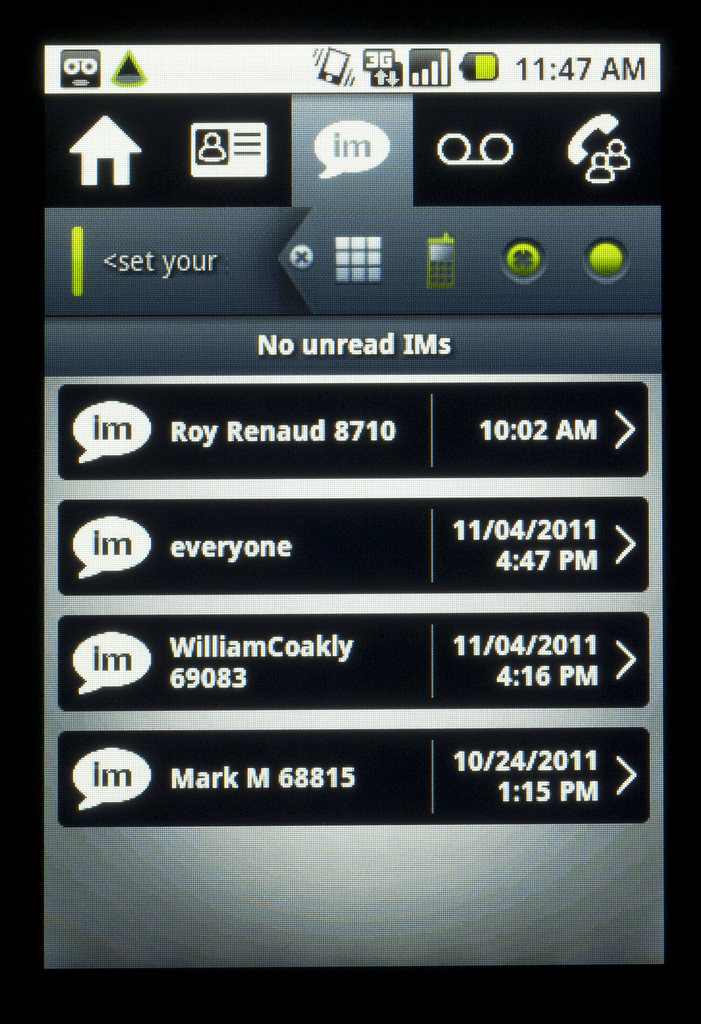
Instant Messaging Screen
Most small and midsize businesses make the mistake of assuming that (1) in the event of a disaster, they will still be able to limp along and get their business going again and (2) it will cost them less to limp along and clean up the mess later than to put a backup plan in place now.

In fact, if you experience a breakdown in your communications infrastructure, you may not be able to limp along. Numerous insurance companies and business continuity  specialists cite statistics suggesting that large numbers of SMEs who are hit with a major disruption never fully recover and/or soon go out of business. 

In this posting, I will provide a basic explanation of business continuity as it relates to your communications system. I also recommend downloading the Avaya white paper, “Is your small business ready for non-stop operations?”  (https://www.avaya.com/usa/registration/is-your-small-business-ready-for-non-stop-operations/) It’s packed with interesting advice and insight on the whole subject of keeping your business in continuous operation, whether the problem is a storm, utility outage, equipment failure, security breach or even having several of your top employees felled by the flu. 

Don’t take your communications for granted

In the old days, if the power failed during a major storm or disaster, there was a good chance you could still use the phone. That’s because your phone system was powered by electrical current coming over analog lines from the phone company’s central office. Because of that, you could always get dial tone.

But today, many businesses use digital, not analog, lines. Also, even if a business is using an analog line, the communications devices and switches at the business may still require their own power. Cordless phones, for example, need their own power source. If you connect ANY device that needs its own power, you introduce a point of failure so that when power is lost to the switch, connected telephones no longer receive a dial tone.

But there is a way around this—it’s part of the business continuity capabilities of Avaya IP Office.  The Avaya White Paper explains it in detail, but here’s the essence: if you connect an easily acquired Phone 8 expansion card, affixed with a Daughter (trunk) card, you get eight ports for use with analog telephones. Using the card, the analog trunk gets connected directly to the phone—the switch is bypassed. Whether you have power or not, you can be up and running.

A power outage is just one possible scenario of business disruption—and it’s also just one way that Avaya IP Office is designed to keep your operations going.  Other features of this system designed to keep you in business include: 

Teleworker Solution: Get complete communications from another location by connecting via an IP desk phone over a virtual private network (VPN) or via a laptop using the one-X® Portal. This is a great option for when employees cannot get into the office for any reason.

Multi-site Network: If you have multiple offices and one goes down, you can still keep all your communications up and running by using the Small Community Network capability, which is a standard feature of IP Office. Using IP links, you can connect a network of branch offices and ensure that extensions and features stay up and running at all of them. You can even designate which locations are “back-ups” for others, so the level of resiliency can be quite robust.

Providing this kind of support for small and midsize businesses is a key reason why Avaya IP Office has become a top choice and why Avaya is No. 1 worldwide in telephony solutions in the small and midsize market. 
Call 10D Telecom at (541) 243-410D (4103)
www.10dvoice.com
Learn more about the important and often overlooked topic of business continuity by downloading the white paper.  It’s completely free and has loads of good information:  “Is your small business ready for non-stop operations?”  (https://www.avaya.com/usa/registration/is-your-small-business-ready-for-non-stop-operations/)

Does your Vendor Know Small and Midsize Business?

The 10D Voice blog: week of February 13

Does your Vendor Know Small and Midsize Business?

Avaya 1404 Digital Phone
The rules of engagement for small and midsize enterprises (SMEs)  are changing.  Speed, flexibility, responsiveness, personal service—the traditional hallmarks of small and midsize business success—can no longer be taken for granted. Your customers are a click away. And so are your competitors, especially large, global companies who are making smart use of technology to become more responsive and customer-driven.   

To remain competitive, small and midsize companies need to evolve their technology strategies and infrastructures to meet these new challenges. The stakes are high: the investments you make today absorb scarce resources and will set you on a path that will impact your business for years to come.

How can you be sure that you are investing in the right solution?  Obviously there are no guarantees, but your best insurance against making a costly mistake is to choose a vendor that is truly focused on the small and midsize market and isn’t just trying to fill the sales funnel with a lot of smaller clients. Look for vendors with these characteristics: 

  • Right-sized for SMEs:  Small and midsize businesses are constantly adapting to rapid shifts in the market. The right technology for your business is one that is designed to adapt to the way you work, with plenty of capacity and a wide range of software options. Be wary of underpowered consumer solutions or systems that were designed for larger enterprises but now have been “dumb downed” for the needs of small and midsize companies.
  • SME leadership: What is the company’s track record in meeting the expectations of the SME market? Is it a market leader or an also ran? Has the company innovated when it comes to SME solutions or are its real breakthroughs reserved for the better paying, larger clients? 
  • Cost control and investment protection: Look beyond the initial acquisition cost. Total Cost of Ownership (TCO) is as important, if not more important to SMEs, than the initial outlay. How does the offering stack up in terms of ongoing operating costs, administration or upgrades? Embracing new technology shouldn’t necessarily mean getting rid of older solutions, particularly if you are staying with the same vendor
  •  Reliability and energy efficiency: Every vendor will tout claims for reliability and consistent performance. It’s important to vet these pronouncements either with existing clients or independent analysts. Also, look carefully at the investment you will still need to make in backup capabilities. Does the solution have proactive diagnostic capabilities that will make your job easier? Are there alternatives to acquiring redundant hardware? Finally, how does the solution stack up in energy consumption?  Is it really green?
Call 10D Telecom at (541) 243-410D (4103)
www.10Dvoice.com

Is your business communications solution cost-effective

The 10D Voice Blog: Week of January 30th, 2012
 
Five ways to tell if your business communications solution is cost-effective
Is your communications system making you money, saving you money—or is it causing you to lose money in the form of lost productivity and higher operating costs? Unfortunately, the chances are high that it’s the latter. This is true even if you have recently upgraded to a new communications solution for your business. In fact, some solutions that say they offer the latest, cutting-edge communications may end up being the most expensive to own and operate.

Here are five things to look for in a solution that’s truly going to save you money:
Hybrid, not IP only: The Internet Protocol (IP) is the basis for most new communications systems.  It offers lots of advantages, but you shouldn’t be forced to use it right away unless it’s the right choice for you now.  A smart way to save money is to get a hybrid system: one that supports IP as well as older communications protocols. If you have older analog lines, the hybrid system works just fine and you are ready when the time comes to put in T1 and/or SIP trunks. You can convert to IP when it works for you—on your schedule and your budget. 

Single, Stackable, Scalable: What if your business suddenly experiences a growth spurt that requires you to increase the capacity of your communications? Should you be forced into a forklift upgrade: swapping out hardware, adding new (and potentially expensive software) and renegotiating your maintenance?  No—that’s a money sinkhole. A smart choice is a solution that lets you grow without having to change the basic system box—a single solution that is stackable and scalable. 

Works with existing wiring:  Does your office or building have a room with what looks like miles of spaghetti? Are there old wires snaking between floors and behind walls? Instead of pulling out all of this wire and replacing it with new cable (an expensive and potentially very disruptive proposition) you should still be able to upgrade, get the latest communications AND keep using your existing wiring. That can save thousands.

Works with existing phones: It used to be when you got a new office phone system, you automatically replaced all your phones. Some manufacturers still require that—and you may want to anyway—but it shouldn’t be necessary. Phones can account for as much as 60% of the cost of a new system and many of the ones you have now may be just fine. You should be able to keep using them and bank the savings.

Hidden Costs: What options come with your communications system?  What system resources are required for each device you connect?  What are your maintenance options?  What options do you have for upgrading software: if you do not have the most recent version and want to upgrade, will you be forced to pay an extra premium? These are nitty gritty details, but the costs can quickly add up if you don’t look at them. 

Call 10D Telecom today (541) 243-410D (4103) 
www.10dvoice.com
10D Telecom Website

8 questions about Windows 7 End of Life - #3 of 10 Cybersecurity for 2020

Frequently Asked Questions: Windows 7 End of Life (EOL) We know it is not easy to make changes, especially to the computer that you are f...